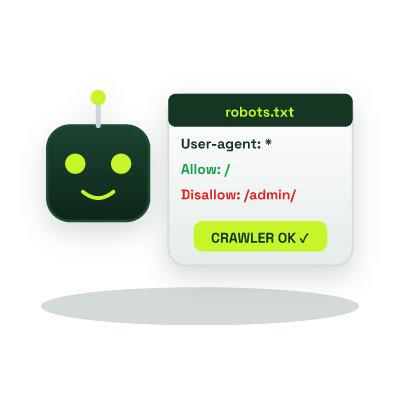
Robots.txt Generator - Configure Googlebot, Crawl Budget & AI Crawler Directives
Create a standards-compliant `robots.txt` file (RFC 9309) in seconds, manage crawl budget, exclude private routes, declare your XML Sitemap URL, and configure rules for Googlebot, Bingbot, and AI search bots.
Runs in your browser
This tool processes your input on your device.
Security & servers
Loading tool…
Processed in your browserTry another tool
Instructions
How to use it
Follow these steps in the workspace above.
- Choose your default crawler policy and enter your XML Sitemap URL.
- Add path rules that search crawlers should not waste crawl budget indexing.
- Copy or download your `robots.txt` file and place it in the root directory of your domain.
Guide
How it works
The Robots Exclusion Protocol (robots.txt, standardized in RFC 9309) is the very first file search engine spiders and AI bots request when visiting your domain. A well-structured robots.txt directs crawlers away from low-value faceted search filters and staging directories so Googlebot spends 100% of its crawl budget indexing your canonical revenue and content pages.
Managing Search Engines & AI Answer Bots in 2026
- Traditional Search Crawlers: Keep
Googlebot,Bingbot, andApplebotunblocked on all public CSS, JS, and image assets so Google can render your layout accurately for Core Web Vitals and mobile-first indexing. - AI Search & Citation Bots (GEO/AEO): Allowing search-retrieval bots such as
OAI-SearchBot(ChatGPT Search),PerplexityBot, andClaude-SearchBotensures your pages can be cited with live clickable links in AI answers. - Meta Robots vs. Robots.txt: Use a
noindexmeta robots tag (via our Meta Tag Generator) when you want an already-indexed page removed from search results.
It must live at the exact root of your domain, for example, https://example.com/robots.txt (in Next.js, place it in public/robots.txt or use src/app/robots.ts).
No. robots.txt is a public file for well-behaved crawlers. Always protect private areas with proper authentication.
Never block CSS or JavaScript bundles required to render your page. Googlebot uses a headless Chromium renderer and needs your stylesheets and scripts to verify mobile usability and layout stability.