HTML Heading Checker for H1–H6 Tags
Enter a public URL or paste HTML to see the headings in order. The checker flags missing main headings, empty tags, and skipped levels such as H2 followed by H4.
Runs in your browser
This tool processes your input on your device.
Website essentials
Loading tool…
Processed in your browserTry another tool
Instructions
How to use it
Follow these steps in the workspace above.
- Enter a live webpage URL or paste raw HTML markup into the analyzer.
- Inspect the extracted H1-H6 hierarchy tree and automated structural diagnostics.
- Fix flagged heading skips or missing H1 tags to strengthen topical clarity for Google and assistive technologies.
Guide
How it works
A heading tells readers what the next section is about. Screen reader users can browse those headings to find the section they need. Use CSS to change a heading’s size without changing its level.
How to read the heading outline
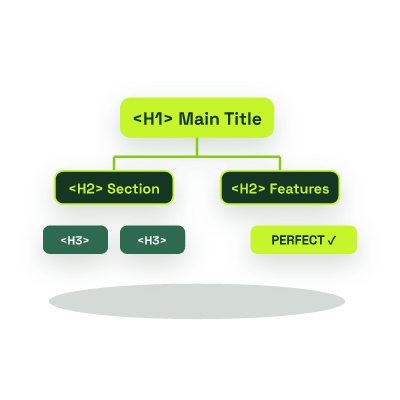
- Use a clear H1 to name the page. Use H2 for its main sections and H3 for subsections.
- If an H4 follows an H2, check whether that section belongs at H3.
- Give each heading enough detail to make sense on its own in a screen reader’s headings list.
Want to inspect meta tags, security headers, and SSL alongside your headings? Run our comprehensive Website SEO & Security Audit.
While Google has stated that HTML5 pages with multiple H1s can still be parsed, using a single, focused H1 tag remains the clearest signal of primary topical intent for search engines, AI parsers, and screen readers.
Skipping heading levels breaks the logical document outline for screen-reader users who navigate by heading level, violating WCAG accessibility best practices and muddying topical hierarchy.
Avoid wrapping global navbars, sidebars, or footer menus in H2/H3 tags, as doing so pollutes every page’s semantic outline with site-wide boilerplate instead of page-specific topics.