Open Graph & Social Card Generator - Rich Share Previews for LinkedIn, X & WhatsApp
Build complete Open Graph (`og:*`) and social card HTML tags with a live feed preview, ensure your links render with crisp `1200×630` hero cards on LinkedIn, WhatsApp, Discord, Slack, Facebook, and X.
Runs in your browser
This tool processes your input on your device.
Website essentials
Loading tool…
Processed in your browserTry another tool
Instructions
How to use it
Follow these steps in the workspace above.
- Enter your page title, social description, canonical URL, site name, and full HTTPS image URL.
- Preview how your link card will appear when shared across social feeds and messaging apps.
- Copy the complete Open Graph and social card meta tags into your HTML head.
Guide
How it works
When someone pastes your URL into WhatsApp, Slack, LinkedIn, Discord, iMessage, Facebook, or X, the platform crawler fetches your page Open Graph protocol (og:*) meta tags to build an interactive preview card. Missing or relative image paths result in broken gray boxes that slash click-through rates by over 50%.
Social Preview Image & Tag Specifications
- Recommended OG Image Dimensions: Use
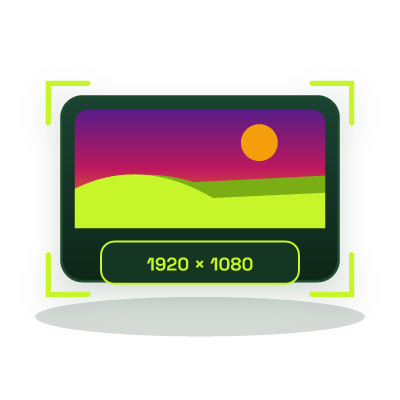
1200 × 630 pixels(1.91:1 aspect ratio) in JPG, PNG, or WebP under 300 KB. You can size and optimize your social card image in seconds using our Image Resizer and Compress Image to 200KB tool. - Always Use Absolute HTTPS URLs: Social crawlers do not resolve relative paths, always specify the full https:// URL in
og:image. - Large Image Summary Card: Setting the card type to
summary_large_imageupgrades tiny square thumbnails to full-width banner cards across X, Slack, and Discord.
1200 × 630 pixels (a 1.91:1 aspect ratio) is the universal standard across LinkedIn, Facebook, X, WhatsApp, Slack, and Discord. Keep important text centered so square mobile crops do not clip edges.
Social platforms aggressively cache Open Graph tags by URL. When updating an image, change the image filename (e.g., og-v2.jpg) or append a query string so crawlers fetch the new asset.
Social platforms fall back to og:title, og:description, and og:image for most fields, while adding summary_large_image triggers the full-width card layout.