URL Encoder and Decoder
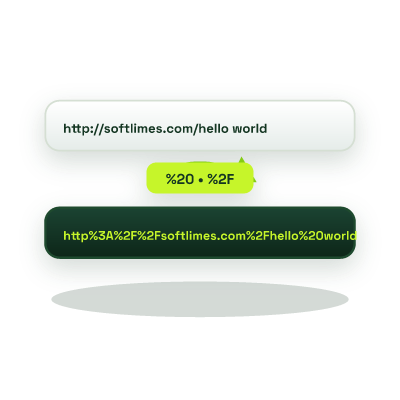
Encode a full URL or a single query value in your browser. To read an encoded string, choose Decode. For example, hello%20world becomes hello world.
Runs in your browser
This tool processes your input on your device.
Developer tools
Loading tool…
Processed in your browserTry another tool
Instructions
How to use it
Follow these steps in the workspace above.
- Select Encode or Decode mode at the top of the workspace.
- Paste your raw query parameter, redirect URL, or percent-encoded string.
- Copy the result. Choose Query Component when the text is one value inside a URL.
Guide
How it works
Uniform Resource Identifiers (URIs, defined in RFC 3986) only permit a strict subset of unreserved ASCII characters (A-Z, a-z, 0-9, -, _, ., ~). Reserved delimiters like ?, &, =, #, /, and spaces must be percent-encoded into hexadecimal byte triplets (such as %20 for a space or %26 for an ampersand) whenever they appear inside a query parameter value, otherwise browsers and API gateways will misinterpret where one query parameter ends and the next begins.
encodeURIComponent vs. encodeURI Explained
- Encoding Query Parameter Values (encodeURIComponent): Encodes :, /, ?, &, and = so you can safely pass a full callback URL inside a query parameter.
- Debugging Analytics & UTM Links: Cleanly inspect encoded marketing URLs, or build properly escaped campaign URLs from scratch using our UTM Campaign Link Builder.
Percent encoding uses %20 for a space. Some form-encoded query strings use +. This decoder preserves a literal +. Use URLSearchParams when you need to parse form-encoded query parameters.
Always URL-encode dynamic user input, search queries, callback URLs, and Base64 strings before interpolating them into a URL query string.
Yes. Multi-byte UTF-8 characters are converted to their UTF-8 byte sequence first and each byte is percent-encoded (and decoded back into readable script accurately).